Monday, February 26, 2018

EBS 11i - INVIDITM / Master Items hangs/not opening -- case study & lessons learned

After a period of time, I put my Apps DBA's hat once again :)
This time, I needed to investigate a strange issue in a customer environment.
(let's say a new customer environment :)

Well.. I had to investigate and solve an issue in a mission critical EBS 11i Production environment.

This EBS environment was on Solaris and the database tier of it was 12cR1.

The problem was the Master Items form.. It was not opening at all..

When the users click on Master Items icon, the form was not opening and the java on client side was just hanging.. (even the java console was crashing)

I did lots of diagnostic works to investigate the root cause of it, but I couldn't determine any usable information..

Following is the list of the things; that I did to investigate and solve the issue;

  • Analyzed the tcpdump between the client and application server side (the traffic between the forms applet and the application server side)
  • Disabled the client side java cache and cleared the java cache in client, just in case where the client side/cached forms jars are corrupt (didn't solve)
  • Enabled the FRD trace and saw that the problematic form was hanging on a specific point, without any errors. (actually I saw signal 14 in FRD trace, but it was misleading.. Form server could have signal 14 in lots of cases)
  • Enabled Java Plugin trace ( when the problem appeared, the plugin itself was crashing, so couldn't get any usable info from this trace)
  • Opened the problematic form with Forms Builder and analyzed the part of the code where the form hanging.. no obvious issues were there..
  • Disabled the APPS Tier SSL and retested the issue, just in case..(didn't solve)
  • Tried with different java plugins and browsers according to the certified Java-Browser matrix.. (didn't solve)
  • Recompiled/regenerated everything using adadmin... forms, flexfields , jar files and everything.. (didn't solve)
  • Checked the db session and the alert log (no weirdness, no errors)
  • Recompiled the Apps schema. (actually there was no important invalid objects there..)
  • Increased the heap sizes of the java plugin in the client side.. (didn't solve)
  • Requested functional admins to check the functional folders that are defined on EBS. (no problems were there)
  • Wanted the Apps DBAs to apply Patch 14009893 to Forms Oracle Home. They applied it.. But they could not open any forms after applying it.. (maybe there was a failure during this patch application process, I didn't check it actually...)
So after these diagnostics and tries, I decided to gather the change log of this EBS environment to understand what was done/changed on this environment recently..

The most important change, that I have pointed out was the EBS's database upgrade.. That is, the database of this EBS environment was recently upgraded to 12cR1 and unfortuneatly, there was no user acceptence test report for that problematic form...

With this in mind, I analyzed the upgrade process..

The upgrade process was based on the document named "Interoperability Notes Oracle EBS 11i with Database 12cR1 (12.1.0.1) (Doc ID 1968807.1)".

This interop document was redirecting to the "Upgrading Developer 6i with Oracle Applications 11i (Doc ID 125767.1)"  by saying : "If your patch set level is earlier than patch set 19, apply the latest certified patch set. See Upgrading Developer 6i with Oracle Applications 11i on My Oracle Support".

So when I checked the document named "Upgrading Developer 6i.." ; I saw that it was pointing to the patch 22709024 , which was a merged patch, developed for fixing several forms server bugs.

Patch 22709024: MERGE REQUEST ON TOP OF 6.0.8.28.0 FOR BUGS 21671403 22351071

Well.. This patch was not applied to the environment. So we applied it and that was it ! It fixed the issue! 

Actually, this patch was the "new version" of the patch that I requested the Apps DBA team to apply in the first place.

Patch change log:

Replaced MLR Patch 21671403 with the latest MLR Patch 22709024 in the Download Additional Developer 6i Patches table.
Sep 23, 2015
Replaced MLR Patch 19444825 with the latest MLR Patch 21671403 in the Download Additional Developer 6i Patches table .
Aug 11, 2015
Replaced MLR Patch 16699473 with the latest MLR Patch 19444825.
May 31, 2013
Replaced MLR Patch 16414360 with the latest MLR Patch 16699473.
Mar 18, 2013
Replaced MLR Patch 14615390 with the latest MLR Patch 16414360.
Oct 19, 2012
Replaced MLR Patch 14009893 with the latest MLR Patch 14615390.
Jun 12, 2012
Replaced MLR Patch 13384700 with MLR Patch 14009893.
Jan 05, 2012
Replaced Windows MLR Patch 9436629 with Patch 13384700.
Added one off Patch 13384700 for HP Tru64.


At the end of the day; the lessons learned were the following : 
  • If you are a dealing with an issue in a new environment (new to you), request the change log.
  • Always make your detailed diagnostics. Gather technical info about the problem by doing detailed diagnostics works.
  • Search knowledge base for the error. Consider implementing your findings (first in TEST, then in PROD)
  • If you can't find anything and if you can't see anything during your diagnostics works, search for patches for the related technology.. (forms in this case)
  • Based on the change log of the environment, check if there are any missing patches. 
  • Open an Oracle Support SR :)
  • If you find a patch, which seems related, check its newer versions.. Check the compliance between your EBS version and the patch before applying it.
  • Always document the things you checked and the things you tried. By doing so, you can narrow down the list of things that can be done to solve the issue.
  • If it is a developer related problem , contact your development team to get help, to make them analyze the code.
  • Lastly, don't trust the things that are said to you. Always analyze the problem with your own eyes :) for example: if the env is recently upgraded, check the things that need to be done during the whole upgrade path. Don't accept the statements like "we upgraded this env properly, applying all the patches" :) Do you own checks and then decide ..
sds 

Tuesday, February 20, 2018

Oracle VM Server-- Licensing & Cpu pinning

This is an important info for you, especially if you want to decrease your license costs using Oracle Vm Server's Capacity on Demand feature.

We see the Oracle VM Server utilized for the database environments, as well as for the application server environments and we see the Cpu configurations for the guest machines are properly aligned with the licenses on hand.

However; there is one more thing that should be configured for the capacity-on-demand feature to work. I mean it is required in order to make Oracle accept the license fee which is decreased by using the capacity-on-demand feature.

That is the Cpu pinning.

What CPU pinning does is basically, assigning physical CPUs to a VM.

This is also called hard partitioning, as it is used for binding a virtual machine CPU to a physical CPU or core, and preventing it from running on other physical cores than the ones specified. This is done for Oracle CPU licensing purposes, since Oracle VM is licensed on a per-CPU basis.

So, unless you do this, you may have to pay the licenses for all the cores that you have on your physical server.

Implementing this kind of a configuration is very easy though..
You can check the Oracle VM Server documentation for the detailed steps.

Thursday, February 1, 2018

Exadata -- Elastic config, adding one compute and one cell node to Exadata X4-2

This post will be about Exadata, but it is different than my other Exadata blog posts. Because, in this post, I will fully concantrate on the hardware related part of the work.

We recently added 1 compute node and 1 cell node to an Exadata X4-2 Quarter Rack.. So, after these actions, the machine became Elastically configured, as it was not an X4-2 Quarter Rack anymore.

If you are asking about the support thing, my answer is yes! it is supported for X4-2 as well.
If you are asking about the whole process , here is the link : Extending Oracle Exadata Database Machine

The versions of the compute node and the cell node that we added, were X7-2.

Note that, the newly added nodes had 18.1.0.0.0 image versions installed on them.  So we planned to upgrade the image versions of the existing nodes to 18.1.0.0.0, as it is recommended to use the same  image version for all the nodes of an Exadata machine.

We planned this upgrade, but the first thing that we needed to, was to install this nodes physically into the Exadata machine and today's blog post is specially about that.

Okay.. Let's take a look at what we have done for physically installing the nodes and building an Elastic Configuration.

We first took the new servers/nodes out of their boxes .
In order to attach the new nodes to the Exadata Rack, we installed server rack rails and server slide rails that come with these new nodes.
After installing the rails, we installed the cable arms/cable organizers into the new nodes.
After installing the rails and cable organizers, the new nodes became ready , so that we installed them into the Exadata Rack easily.

After physically installing these new servers, we first put the power cables.
Note that, we put 2 power cables into each node (high available) and we connected each of these cables into different PDUs (Power Distribution Unit) , PDU-1 and PDU-2.

We didn't installed the infiniband cables and left this work to be done in the image upgrade part of the work. On the other hand, we installed 2 SFP cards into the compute nodes. ( to be used for backups)

After these hardware related installation actions were taken, we connected to the new nodes using serial port. Using the serial port connection we configured ILOM net interfaces of these new nodes by executing the following commands;

set /SP/network pendingipdiscovery=static
set /SP/network pendingipaddress=<some_ip_address>
set /SP/network pendingipgateway=<gateway_ip_address>
set /SP/network pendingipnetmask=<netmask>
set /SP hostname=<somename-ilom>
set /SP/clients/ntp/server/1 address=<ntp_server_ip_address>
set /SP/clients/dns nameserver=<dns_server_1_ip>,<dns_server2_ip>

set /SP/network/ commitpending=true 

Next, we connected related network cables to the ILOM ports of these newly installed nodes and lastly, we powered these new nodes on and checked their connectivity.. (ILOM)

Tuesday, January 23, 2018

Exadata -- How to Connect Oracle Exadata to 10G Networks Using SFP Modules

In this post, I will share you the way of activating SFP modules (SFP modules on Ethernet cards) in an Exadata X3-2 Quarter Rack env.

As you may know, by default in Exadata X3-2 , we configure our public network using the bondeth0 bond interface. This bondeth0 is actually a virtual bonded device built on top of 2 physical interfaces. (eth1 and eth2) . The bonding mode of this bondeth0 is by default active-backup and as for the speed; it relies on the speed of the underlying eth1 and eth2.

In Exadata X3-2, eth1 and eth2 devices are actually Os interfaces for the underlying 1Gbit cards.
So, this means, by default we are limited to 1Gbit interfaces.

Luckly, Exadata X3-2 also supports 10Gbit SFP interfaces. (Fiber) . So if the Exadata that we are working with, has the necessary SFP modules, then we can configure our public/client network to run on these 10Gbit SFP modules, as well.

In order to activate these SFP modules, what we need to is;

1) The first step is to purchase the proper SFP+ and fiber cables to make the uplink connection.

2) Then we plan a time to reconfigure bondeth0 to use eth4 / eth5 and reboot.

So , it seems simple but it requires attention, since it requires OS admin skills.
Well. Here are the detailed steps;

First, we need to check the SFP modules and see the red light coming from them. (red light means fibre type link is up). Then , we connect the fibre cables to our SFP cards.

After that, we shutdown our databases running on this Exadata and we shutdown the Cluster services as well. We do all these operations using the admin network.. (we connect to Exa nodes using admin network interfaces, using relevant hostnames)

After shutting down the Oracle Stack, we shut down the bondeth0, eth1 and eth2 interfaces.

Then we delete ifcfg-eth1 and ifcfg-eth2 files (after taking backup ofcourse)

After deleting the eth1 and eth2 conf files, we configure the eth4 and eth5 devices.  We make them to be slaves of bondeth0.. (eth4 and eth5 are the OS interfaces for  these 10gbit Sfp cards in Exa X3-2 1/4) Note that: our public/client network ip configuration is stored in bondeth0, so we just modify its slaves, do not touch bondeth0 and the ip setting.

After the modifications, we start eth4, eth5 and bondeth0 (using ifup) and check their link status and their speeds using ethtool.

Once we confirm all the links are up, bonding is okay (cat /proc/net/bonding/bondeth0), we reboot the Exadata nodes and wait our cluster services be automatically up and running again ..


 So that's it :) 

Exadata -- Reimaging Oracle Exadata machines

Nowadays, I 'm mostly working on Exadata deployments.. These deployments I 'm mentioning, are machine deployments, including reimaging, upgrading the Image versions, the first deployments of new Exadata machines and so on.


I find it very enjoyable though, as these kinds of deployments make me recall my System Admin days when I was mounting the servers to the rack cabinets, installing Operating Systems, doing cabling , administrating the SANs and so on :)

Ofcourse, these new deployments, I mean these Exadata deployments are much more compilicated & complex than the server deployments that I was doing between the years 2006-2010.


Actually, the challanges we face during these deployments made this subjects more interesting and enjoyable , so that I can write blog posts about them :)

Today, I m writing about an Exadata X6-2 reimaging that we have done a few days ago.

The machine was an Exadata X6-2 1/8 HP and we needed to reimage it , as it was a secondhand machine used in lots of POCs..

We start the work by running OEDA.
You can read about it by the following link: http://ermanarslan.blogspot.com.tr/2017/07/exadata-initial-deployment-oeda-and.html

So once we get the OEDA ouputs that are required for imaging the Exadata machine, we continue by downloading the required files and lastly we follow the following sequence to reimage the machine..

  • First, we connect to the Cisco switch using serial port (switch used for the Admin network) and configure it according to the OEDA output.
  • Then connect to the Infiniband switches using serial ports and configure them according to the OEDA output.
  • Next, we start up our virtual machine that we configured earlier for these deployments. This virtual machine gives us the ability to boot the Exa nodes using PXE. This Virtual machine has Dhcp, Pxe, TFTP and NFS services running on it.
  • So, once started up, we connect our virtual machine to one of the ports that is available on Cisco Switch and we configure it with the IP of one of our PDUs.. (PDU ip address are available during the first deploy, so this move is safe) -- it is important to give the ip address according to the configuration that we done inside our virtual machine.. I mean our virtual machine has services running on top of it.. So if these services are configured on a static ip, then we use that ip for configuring our virtual machine itself.
  • Next, we transfer the preconf.csv file , which is created by OEDA to our virtual machine and edit the MAC addresses written in this file according to the MAC adresses of our compute and cellnodes.  (MAC address of the nodes are written in the front panel of the nodes .)
  • At this point, we connect to our compute and cell nodes using their ILOMs, and set their first boot devices to PXE. After this setting, we restart the nodes using ILOM  reset commands.
  • When the machines are rebooted, they boot from the PXE devices and display the imaging menu, that our virtual machine serves them using PXE. In this menu, we display all the images which can be used for the imaging both the cell and compute nodes.
  • Using this approach we image the compute and cell nodes in parallel.. I mean we connect to console of each node using their ILOMS, and select the relevant image from the menu and start the installation.
  • Once the installation of nodes are completed, we connect the client network to our Exadata machines. (admin network - to the CISCO switch, client network - directly to the Compute Nodes)
  • Lastly, just after imaging is finished, we continue by installing GRID and RDBMS software. In order to do this, we transfer, the GRID and RDBMS installation files + onecommand utility + OEDA outputs to the first compute node and then run the install.sh script which is included in onecommand to install our GRID and RDBMS. (As you may guess, one of the arguments for install.sh script is OEAD xml..)
That 's it.. Our Exadata is ready to use :)

Tuesday, January 16, 2018

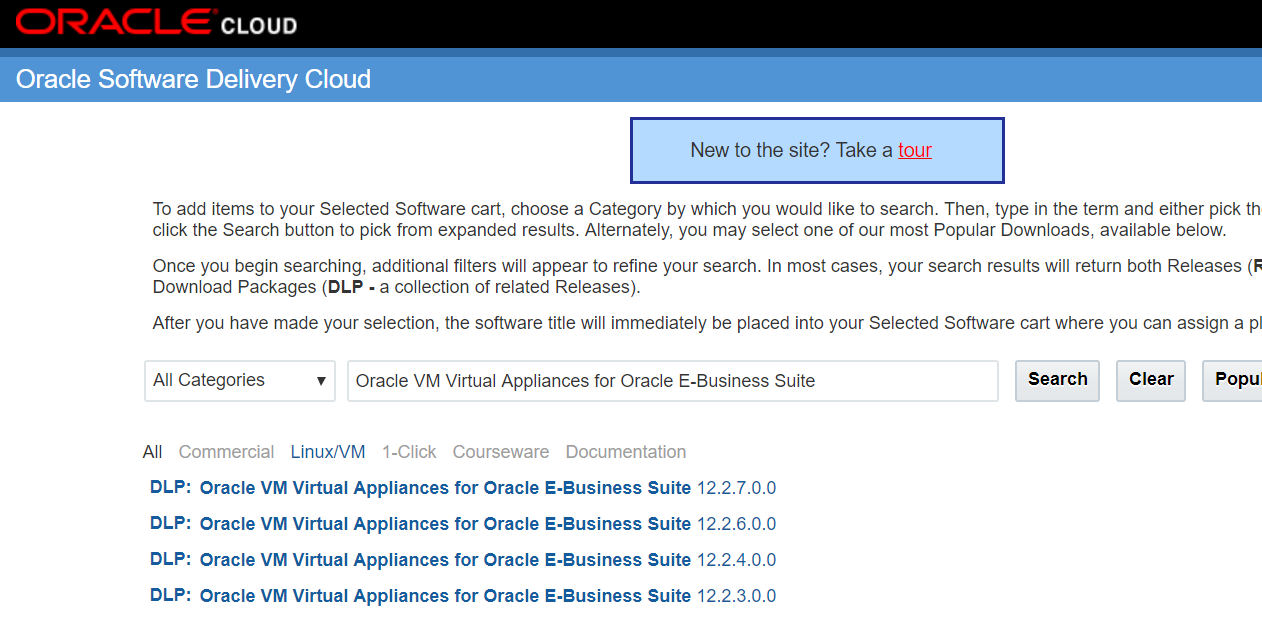
EBS 12.2.7 - Oracle VM Virtual Appliance for Oracle E-Business Suite 12.2.7 is now available!

Oracle VM Virtual Appliance for E-Business Suite Release 12.2.7 is now available from the Oracle Software Delivery Cloud !!

You can use this appliance to create an Oracle E-Business Suite 12.2.7 Vision instance on a single virtual machine containing both the database tier and the application.

Monday, January 15, 2018

RDBMS -- diagnosing & solving "ORA-28750: unknown error" in UTL_HTTP - TLS communication

As you may remember, I wrote a blog post about this ORA-28750 before.. (in 2015).
http://ermanarslan.blogspot.com.tr/2015/09/rdbms-ora-28750-unkown-error-in-web.html

In that blog post, I was addressing this issue with the SHA2 certification lack, and as for the solution , I recommended upgrading the database for the fix .. (this was tested and worked)
I also recommended using a GeoTrustSSLCA-G3 type server side certificate for the workaround. (this was tested and worked)

Later on, last week ; we encountered this error in a 11.2.0.4 database and the server side certificate was GeoTrustSSLCA-G3 certificate.. The code was doing "UTL_HTTP.begin_request" and failing with ORA-28750.
So, the fix and the workaround that I documented earlier, were not applicable in this case.. (DB was up-to-date and the certificate was already GeoTrust..G3)..

As you may guess, this time, there was a more detailed diagnostic needed.

So we followed the note:

"How To Investigate And Troubleshoot SSL/TLS Issues on the DB Client SQLNet Layer (Doc ID 2238096.1)"

We took a tcpdump..  (with the related IP addresses to have a consolidated tcp output..)

Example: tcpdump -i em1 dst 10.10.10.10 -s0 -w /tmp/erman_tcpdump.log

In order to see the character strings properly, we opened the tcpdump's output using Wireshark. *

When we opened the output with Wireshark; we concantrated on the TLS V1.2 protocol type communication and we saw an ALERT just after the first HELLO message;


The problem was obvious.. TLS V1.2 communication was throwing Unsupported Exception error.

This error redirected us to the Document named:  UTL_HTTP : ORA-28750: unknown error | unsupported extension (Doc ID 2174046.1)

This document was basically saying "apply patch 23115139", however; this patch was not written for Oracle Database 11.2.0.4 running on Linux X86-64.. In addition to that, our PSU Version was 11.2.0.4.171017 and the patch was not for it.  

So we needed find another patch which includes the same fix and it was required to be appropriate for our DB & PSU Version..

Now look what we found :) ;

Patch 27194186: MERGE REQUEST ON TOP OF DATABASE PSU 11.2.0.4.171017 FOR BUGS 23115139 26963526

Well.. We applied patch 27194186 and our problem solved.

Now, by the help of this issue and its resolution; I can give 2 important messages; 

1) Use wireshark or a similar tool to analyze the tcpdump outputs.  (analyze the dumps by concantrating on TLS protocol messages)

2) Dont surrender even when the patch that is recommended by Oracle Documents, isn't compatible with your RDBMS and PSU versions.. 
Most of the time, you can find another patch (maybe merged), which is compatible with your RDBMS & PSU versions and that patch may include the same fix + more :)

Monday, December 25, 2017

Erman Arslan is now an Oracle ACE!

I 'm an Oracle ACE now! Today is my birthday, and this is the best birthday gift ever!  :)
I have been writing this blog since 2013 and thanks to my passion on writing, I wrote the book (Practical Oracle E-business Suite) with my friend Zaheer Syed last year.
I aimed to share my knowledge with all my followers around the world and to keep up with the new developments in Oracle technologies.
I spent a significant time to give voluntarily support on my forum and did several Oracle projects in customer sites in parallel to that.
My primary focus was on EBS, but I was also researching and doing projects on Exadata, Oracle Linux, OVM, ODA, Weblogic and many other Oracle Technologies.
I 'm still  working with the same self-sacrifice as I started to work as an Oracle DBA in the year 2006 and I 'm still learning, implementing and explanining the Oracle Solutions with the same motiviation that I had in the first years of my career.

I want to send my special thanks to Mr. Hasan Tonguç Yılmaz, who's nominated me to become an Oracle ACE. I offer my respect to Mr. Alp Çakar, Mr. Murat Gökçe and Mr. Burak Görsev who have directly or indirectly supported me in this way.


Friday, December 22, 2017

Goldengate -- UROWID column performance

As you may guess, these blog posts will be the last blog posts of the year :)

This one is for Goldengate.

Recently, started working for a new company and nowadays, I deal with Exadata machines and Goldengate more often.

Yesterday, analyzed a customer environment, where Goldengate was not performing well.

That is, there are was a lag/gap reported in a target database, in which, 55-60 tables were populated by Goldengate 12.2.

When we analyzed the environment, we saw that, it was not the extract process or network which was causing the issue.

The REPLICAT process was also looking good in the first glance, as it  was performing well on its trail files.

However, when we check the db side, we saw that there was a lag around 80 hours.. So target db was behind the source db with a 80 hours difference.

We analyzed the target database, because we thought that it might be the cause.. I mean, there could be some PK, or FK missing on the target environment.. (if the keys are missing, this can be a throuble in goldengate replications). However, we concluded that, no keys were missing.

In addition to that, we analyzed the AWR reports, we analyzed the db structure using various client tools (like TOAD) and we check the db parameters, but -> all were fine..

Both source and target databases were on Exadata. AWR reports were clean. Load average was so low, the machine was sleeping and there were almost no active sessions in the database (when we analyzed it real time)

Then we checked the goldengate process reports and saw that REPLICAT was performing very slow.

It was doing 80 tps , but it should be around 10000 tps in this environment..

At that moment, we followed the note, and check the replicat accordingly.
(Excessive REPLICAT LAG Times (Doc ID 962592.1))

We considered the things in the following list, as well:
  • Preventing full table scan in the absence of keys KEYCOLS
  • Splitting large transactions
  • MAXTRANSOPS
  • MAXSQLSTATEMENTS
  • Improve update speed - redefine tables - stop and start replicat
  • Ensure effective execution plans by keeping fresh statistics
  • Set Replicat transaction timeout
Unfortuneatly, no matter what we did, the lag was increasing..

Then fortuneatly :), we saw that all these 55-60 tables in the target db had columns with the type of
UROWID..

These columns were recently added to the tables by the customer.

We also discovered that, this performance issue have started, after these columns were added.

We wanted to change the column type, because these UROWID columns have recently become supported with Goldengate..

ROWID/UROWID Support for GoldenGate (Doc ID 2172173.1)

So we thought that these columns may cause the REPLICAT to perform with this low performance.

The customer was using these columns to identify the PK changes and accepted to change the type of these columns to VARCHAR2.

As for the solution, we changed the type of those columns to varchar2 by creating empty tables and transferring the data using INSERT INTO APPEND statements.

Thanks to EXADATA , it didn't take lots of our time and thanks to Oracle Database 12C, we didn't need to gather statistics of these new tables, since in 12C it is done automatic during CTAS and Insert Into Append..

After changing the column type of those tables, we restarted the REPLICAT and the lag was dissapeared in 2 hours.

So, be careful when using UROWID columns in a Goldengate environment..

Monday, November 20, 2017

EBS 12.2 -- Solaris Sparc relinking reports, executing make -f from lib or lib32 directory? + an important info about the ins_reports.mk and the env settings

I'm writing this post, because I found a mismatch in the info delivered by Oracle Support documents.
According to some of those documents; reports should be relinked from lib32 directory( if that directory is present..) here ->

cd $ORACLE_HOME/reports/lib32
--Note: if this directory does not exist: --
cd $ORACLE_HOME/reports/lib
$ make -f ins_reports.mk install

However, even if you relink the reports binaries from lib32 directory, you may end up with the following error in your concurrent manager log files (when running reports based concurrent programs) ->

Program exited with status 1
Concurrent Manager encountered an error while running Oracle*Report for your concurrent request XXXXXXX


So, this error brings you to the following document:

E-Business Suite R12 : Oracle Reports (RDF) Completing In Error "Program Exited With Status 1" Specifically on Oracle Solaris on SPARC OS Installation (Doc ID 2312459.1)

Actually, what that is underlined in this document is the famous environment setting (LD_OPTIONS="-L/lib -L/lib/sparcv9").

However, look at what document 2312459.1 also says, 

Navigate to this directory $ORACLE_HOME/reports/lib and compile the reports executable make command "$ make -f ins_reports.mk install"

So, the document says relink your reports from the lib directory (not from the lib32 directory).

At the end of the day, it is not important to be in lib32 or lib directory for relinking the reports binaries in Solaris Sparc.

The important things are having a good/clean ins_reports.mk and the necessary a LD_OPTIONS environment setting.

What I mean by a clean ins_reports.mk is -> a default ins_reports.mk which is deployed by the EBS installer. No LD_OPTIONS inside that file!

You may recall that, I wrote a blog post for the error that we usually get in EBS 12.2 Solaris installation - > http://ermanarslan.blogspot.com.tr/2017/06/ebs-1220-installation-on-solaris-511.html

In that blog post, I was modifying the ins_reports.mk inside the stage. I wrote LD_OPTIONS inside the ins_reports.mk file and hardly fixed the errors in the runInstaller screens. This was the one and only solution as the runInstaller could not get the LD_OPTIONS env setting from the terminal where I executed it.

However, this was just for the installation.

So after the installation, we need to delete these modifications and use directly the LD_OPTIONS env setting for our future reports relink actions.

cd $ORACLE_HOME/reports/lib
make -f ins_reports.mk install

or

cd $ORACLE_HOME/reports/lib32
make -f ins_reports.mk install

Both works..

This is based on a true story and this is the tip of the day.